




We can all agree that Serum is one of the most powerful and popular synthesizers in modern music production, celebrated for its incredible sound design capabilities. A huge part of its signature sound comes from its amazing built-in effects rack, featuring everything from lush reverbs and delays to iconic distortion and hyper/dimension effects.
But what if you could take that entire world-class effects section and use it on anything—your vocals, drum bus, or any audio sample? Most people don’t realize you can, but Serum actually comes with a separate effects plugin that unlocks this exact capability, and it’s already on your computer.
Meet Serum 2 FX: Your New Go-To Multi-Effects Plugin
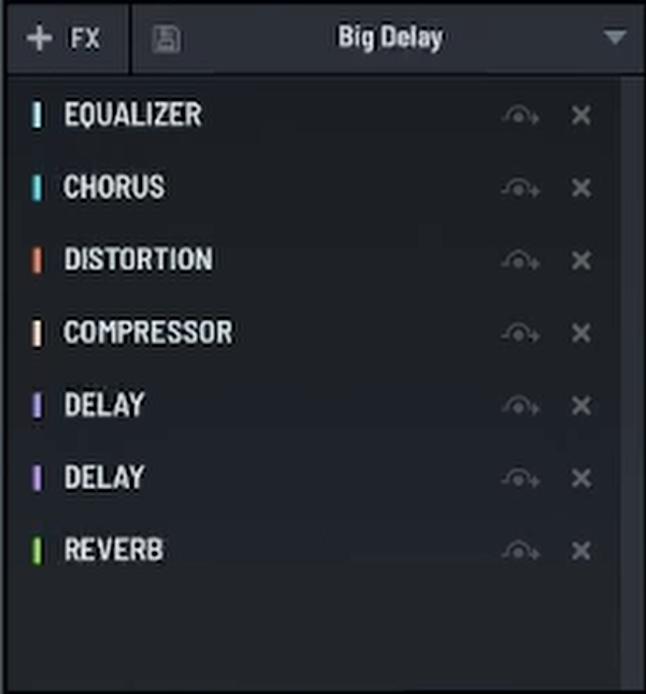
When you install Serum, it also installs a second, often-overlooked plugin called Serum 2 FX. This is a standalone version of Serum’s entire effects rack that you can load directly into your DAW’s mixer to process any audio source. It’s a complete multi-effects powerhouse hiding in plain sight.
Here’s how to enable it and start using it in FL Studio.
How to Unlock Serum’s Effects in Your Mixer
If you can’t find Serum 2 FX in your normal effects list, you just need to enable it in FL Studio’s plugin manager.
- In any mixer channel, click on an empty effect slot and navigate to the very top of the list, selecting “More plugins…”
- This will open the FL Studio Plugin Manager. In the search bar at the bottom, type “Serum”.
- You will see two entries: the main Serum synthesizer and “Serum 2 FX”. Click the star icon next to “Serum 2 FX” to add it to your favorites list.
- Close the plugin manager. Now, you can load Serum 2 FX as an audio effect in any mixer channel, just like you would with a reverb or EQ.
Why This is a Game-Changer
Unlocking Serum 2 FX is like getting a brand-new, high-end multi-effects plugin for free. It gives you access to Serum’s entire processing suite, including:
- Hyper/Dimension for creating massive stereo width.
- Distortion with a wide range of algorithms.
- Phaser, Flanger, and Chorus for modulation.
- Delay and Reverb for creating space.
- Compressor, EQ, and Filter for shaping your sound.
Now you can apply that signature Serum processing to your vocals, add grit to your 808s, or run a drum loop through its legendary filter—the creative possibilities are endless.
To see exactly how to enable and load Serum 2 FX in your mixer, be sure to watch the full video!