



Automation is the key to creating dynamic, evolving, and professional-sounding tracks. From filter sweeps to volume fades, it breathes life into your music. But the standard process of right-clicking a parameter and finding “Create automation clip” in a menu can feel slow and repetitive, especially when you’re in a creative flow.
So, what’s the absolute fastest way to create automation clips in FL Studio? It turns out there are two lightning-fast shortcuts you need to know—one for native plugins and one for everything else.
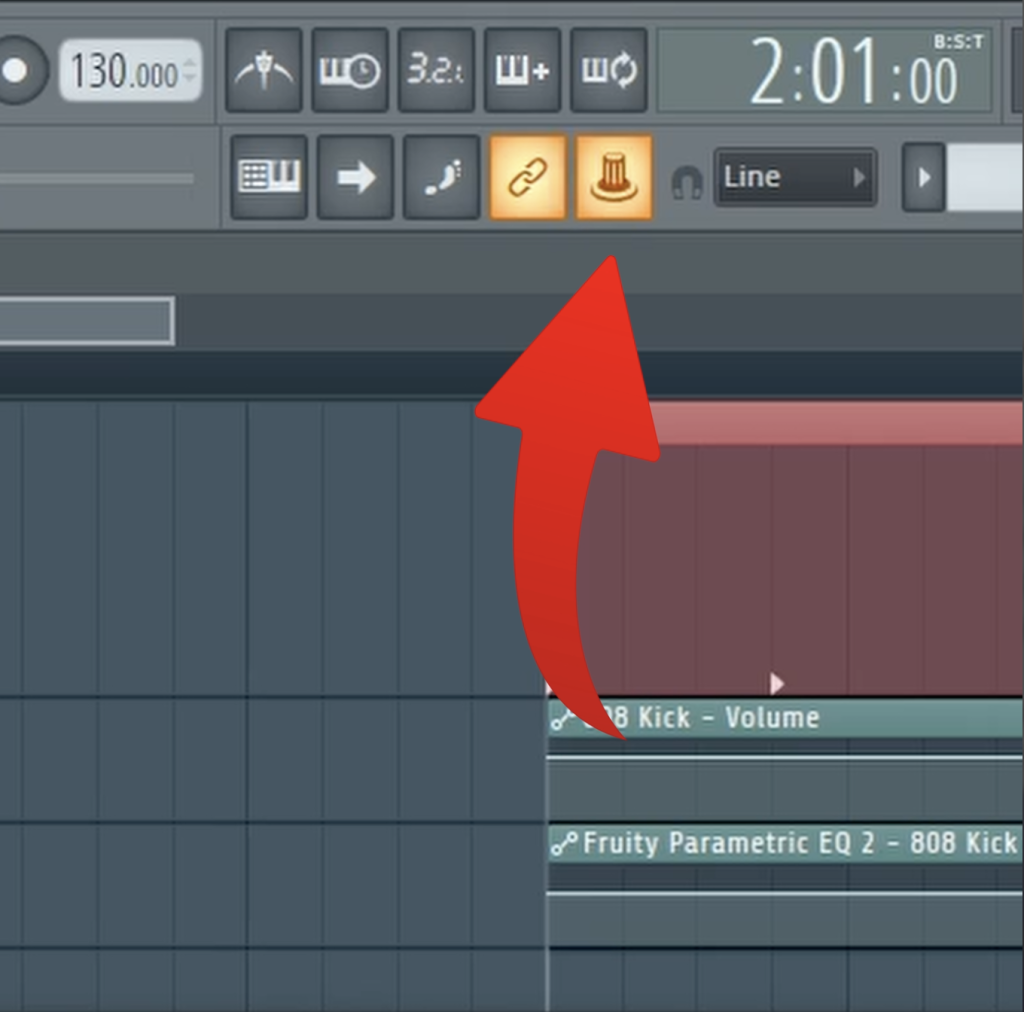
The Instant Method for Native Controls: A + Right-Click
This first shortcut is a massive time-saver, but it only works for FL Studio’s native controls. This includes mixer faders, channel volume and pan knobs, and any parameter within a native FL Studio plugin (like Fruity Parametric EQ 2).
The shortcut is incredibly simple:
Hold down the ‘A’ key on your keyboard and right-click on any native knob or fader.
An automation clip for that parameter will instantly be created in your playlist. No menus, no extra clicks. Just point, click, and automate.
Automating Third-Party Plugins: The Multilink Trick
So what about your favorite third-party VSTs, like Sylenth1, Serum, or Vital? The A + Right-Click trick won’t work on those. For these, you need to use another powerful but often overlooked feature: Multilink to controllers.
This tool allows you to quickly link any parameter you touch to an automation clip.
- Click the “Multilink to controllers” icon in the top toolbar (it looks like a knob connected to a chain link).
- Go to your third-party plugin and simply tweak the knob or fader you want to automate (for example, the filter cutoff).
- Now, right-click the “Multilink to controllers” icon again.
- From the menu that appears, select “Create automation clip.”
Just like that, you’ve created an automation clip for a third-party parameter without ever having to dig through menus.
Mastering these two simple workflows will dramatically speed up your production process, allowing you to get your creative ideas down faster than ever before.
To see these lightning-fast automation tricks in action, you need to watch the full video!